What is Artificial Intelligence (AI)?
Artificial Intelligence (AI) refers to systems capable of performing tasks that traditionally require human intelligence: reasoning, pattern recognition, language understanding, and decision-making.
For developers, AI today mostly shows up as:
- Code generation
- Code completion
- Automated testing
- Documentation generation
- Architecture reasoning
- Debugging assistance
Why AI Exists (The Problem It Solves)
Modern software development has a scaling problem:
- Systems are larger
- Codebases live longer
- Teams change constantly
- Context is lost fast
AI helps by acting as:
- A context multiplier
- A knowledge accelerator
- A productivity amplifier
It doesn’t replace thinking — it reduces friction.
Benefits for Developers
1. Faster Feedback Loops
AI shortens the time between idea → implementation → validation.
2. Reduced Cognitive Load
You no longer need to remember everything — AI helps recall patterns, syntax, and structure.
3. Better Documentation
AI can generate and maintain documentation that humans usually skip.
4. Skill Acceleration
Junior devs ramp up faster. Senior devs explore more ideas.
Trade-offs & Limitations
AI is powerful, but not magic.
- It can hallucinate
- It lacks domain ownership
- It doesn’t understand business context unless you provide it
- Blind trust leads to bad code
AI amplifies skill — it doesn’t replace it.
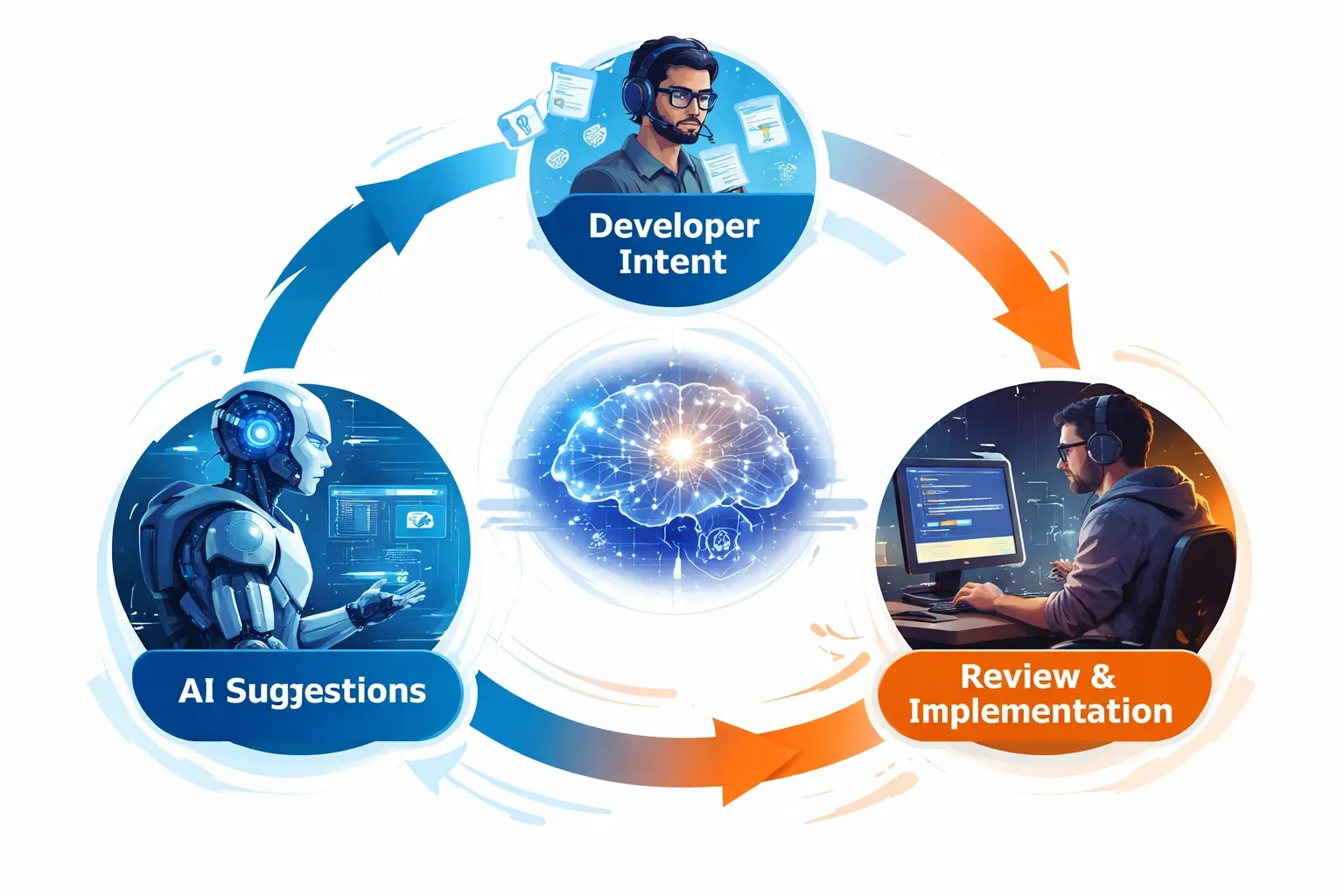
How AI Fits into a Developer Workflow
A healthy AI workflow looks like this:
- Developer defines intent
- AI proposes solutions
- Developer validates, adjusts, and owns the result
Real-World Use Cases
- Generating CRUD APIs from specs
- Refactoring legacy code
- Writing unit tests
- Creating onboarding docs
- Exploring architectural options
Used correctly, AI becomes a force multiplier.
Common Mistakes Developers Make with AI
- Using AI without understanding the output
- Treating AI as an authority
- Skipping code reviews
- Ignoring security implications
AI should be reviewed like any junior engineer’s PR.
AI Will Not Replace Developers — But It Will Replace Developers Who Don’t Adapt
The future developer:
- Writes less boilerplate
- Thinks more about systems
- Focuses on problem-solving
- Leverages AI as a tool, not a crutch
Final Thoughts
AI is not the end of software engineering. It’s the next evolution of it.
The best developers won’t fight AI — they’ll learn how to think with it.